In use by Hampton Life Saving Club

Automated patrol rostering that plays by your rules

Rosty collects availability, honours qualifications and patroller preferences, and creates compliant patrol rosters — with no tech skills needed.

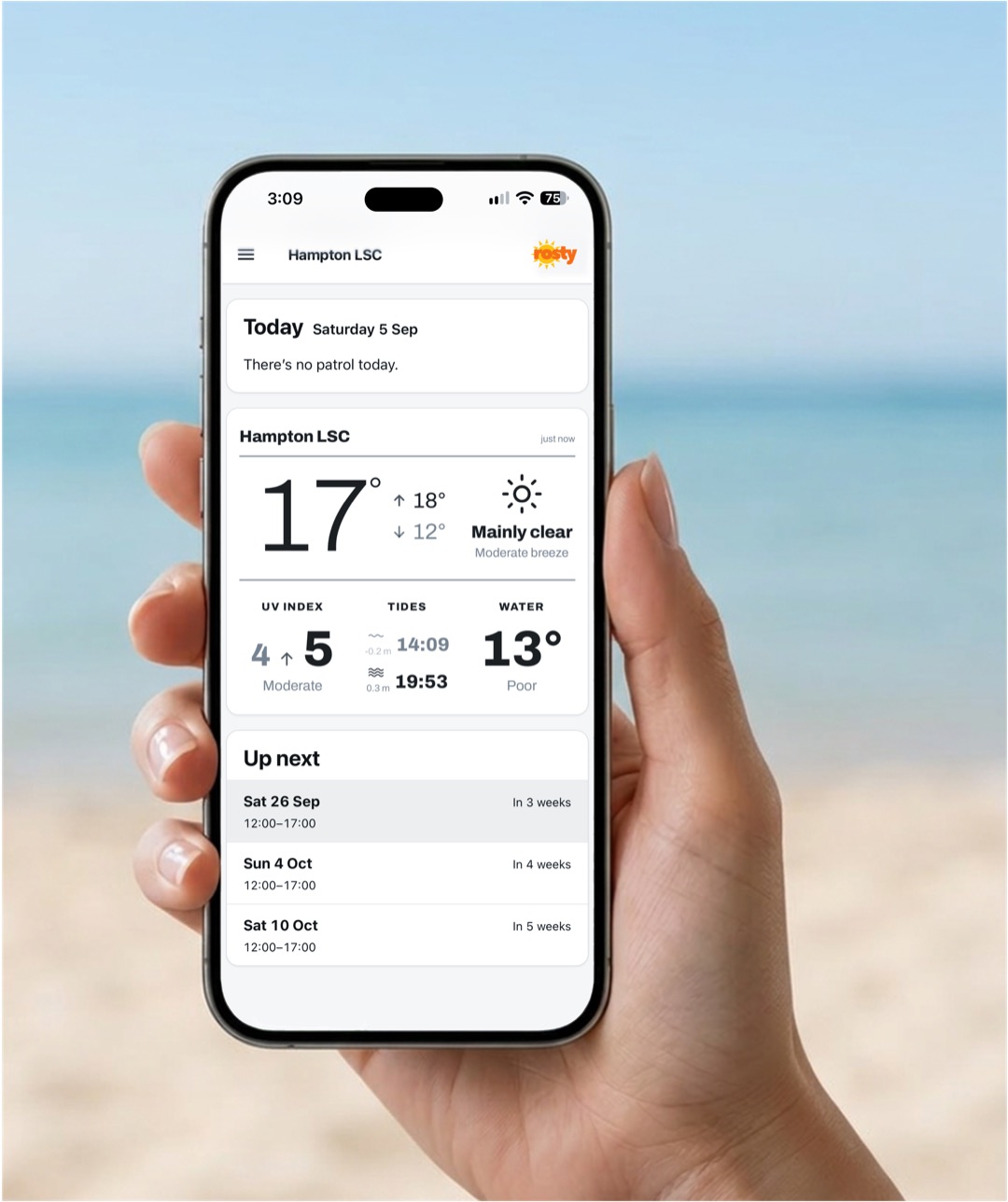
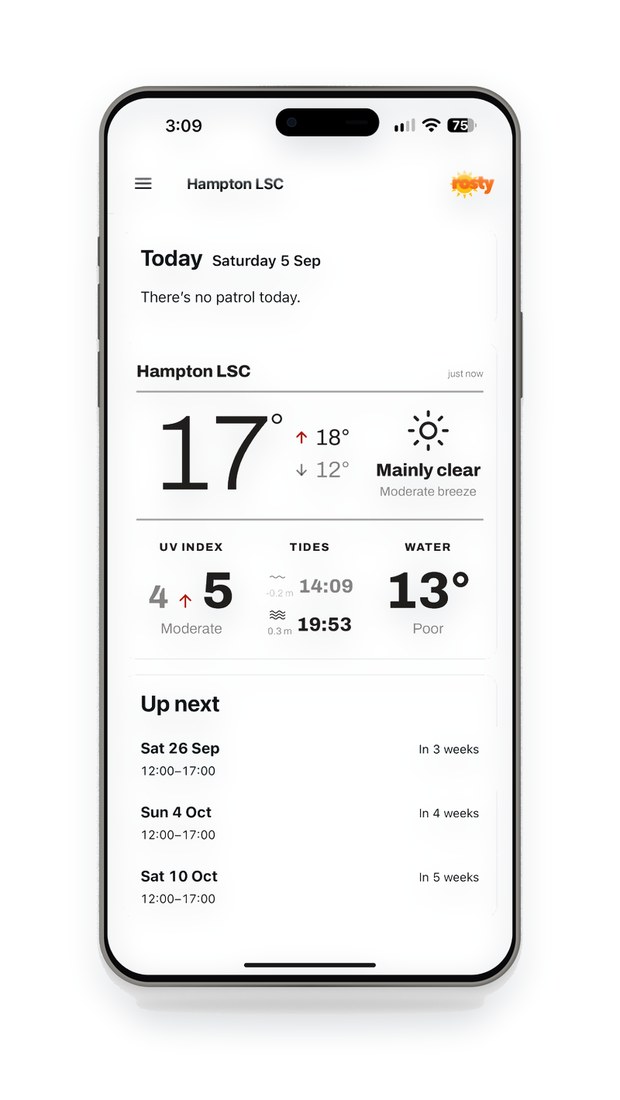
Rosty patroller view on a phone at the beach
Trusted by Hampton Life Saving Club Winner, 2026 LSV Awards of Excellence — Innovative Achievement of the Year
Why Rosty

Less work and happier patrollers.

Rostering a season of patrols by hand would usually mean weeks of emails, spreadsheets and swaps. Rosty does the heavy lifting for you.

⏱️

Massive time savings

In patrol communications, planning, balancing, and maintaining rosters.

Improved compliance

The platform automatically optimises for patroller availability, preferences, and qualifications to ensure patrols meet SLSA requirements.

📅

Always up-to-date roster

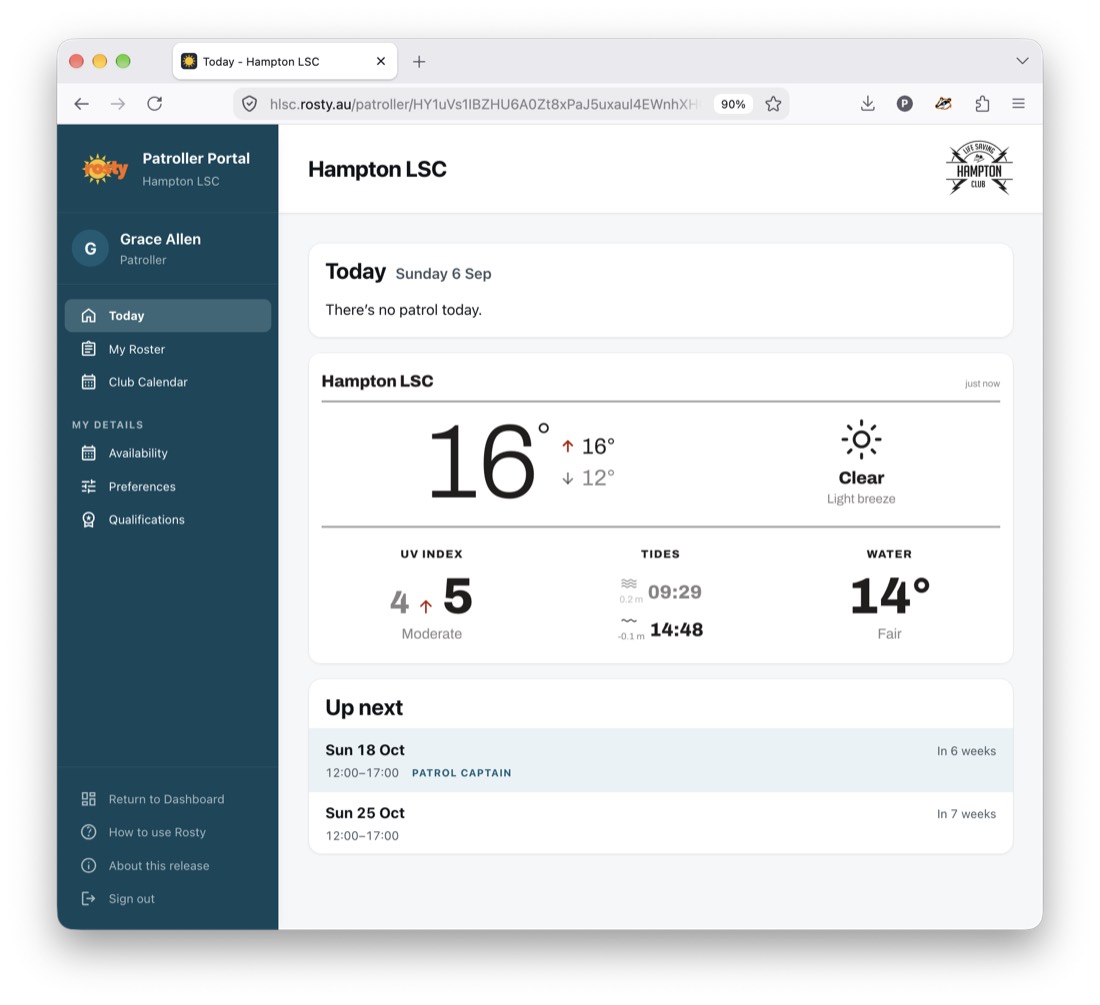
In every member's own portal — calendar, list and mobile views — and never on a public page.

🙋

Patroller self-service

Increases participation and satisfaction, without creating work for the roster manager.

🌗

Partial patrols New

Split long patrols into halves so members who can't commit to a full day can still patrol.

What about team rostering?

Until now, teams have been the only option for manual rostering. Hampton deployed Rosty and successfully moved to individual rostering, resulting in:

  • Patrollers only being assigned to days they were actually available
  • Greater opportunity for new patrol captains and mentoring
  • Lower friction for young members, those with new awards, and anyone needing additional support to join patrols
  • Patrol captains not having to scramble to find substitutes for unavailable team members

PLUS! Greater cross-club inclusion and sharing of best practices across patrols.

New in Rosty

Partial patrols — more flexibility for members

Not everyone can commit to a full day on the beach. Rosty can split patrols so members can add themselves to just the part of the day they're free. More availability turns into coverage on the beach, and nobody has to choose between a whole shift or nothing at all.
Whole day First half only Second half only
  • Members add themselves to a whole patrol or just part
  • The optimiser finds the best balance of full and partial patrollers
  • Both portions of the patrol are checked for compliance, so the whole patrol stays covered
  • Clubs can choose whether they want this feature enabled
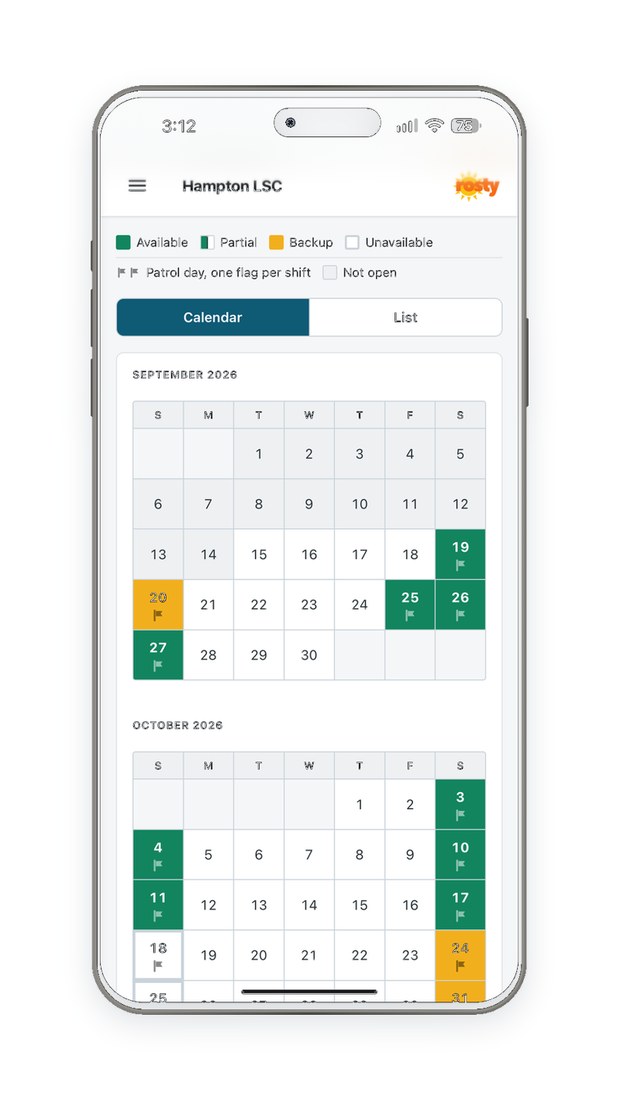
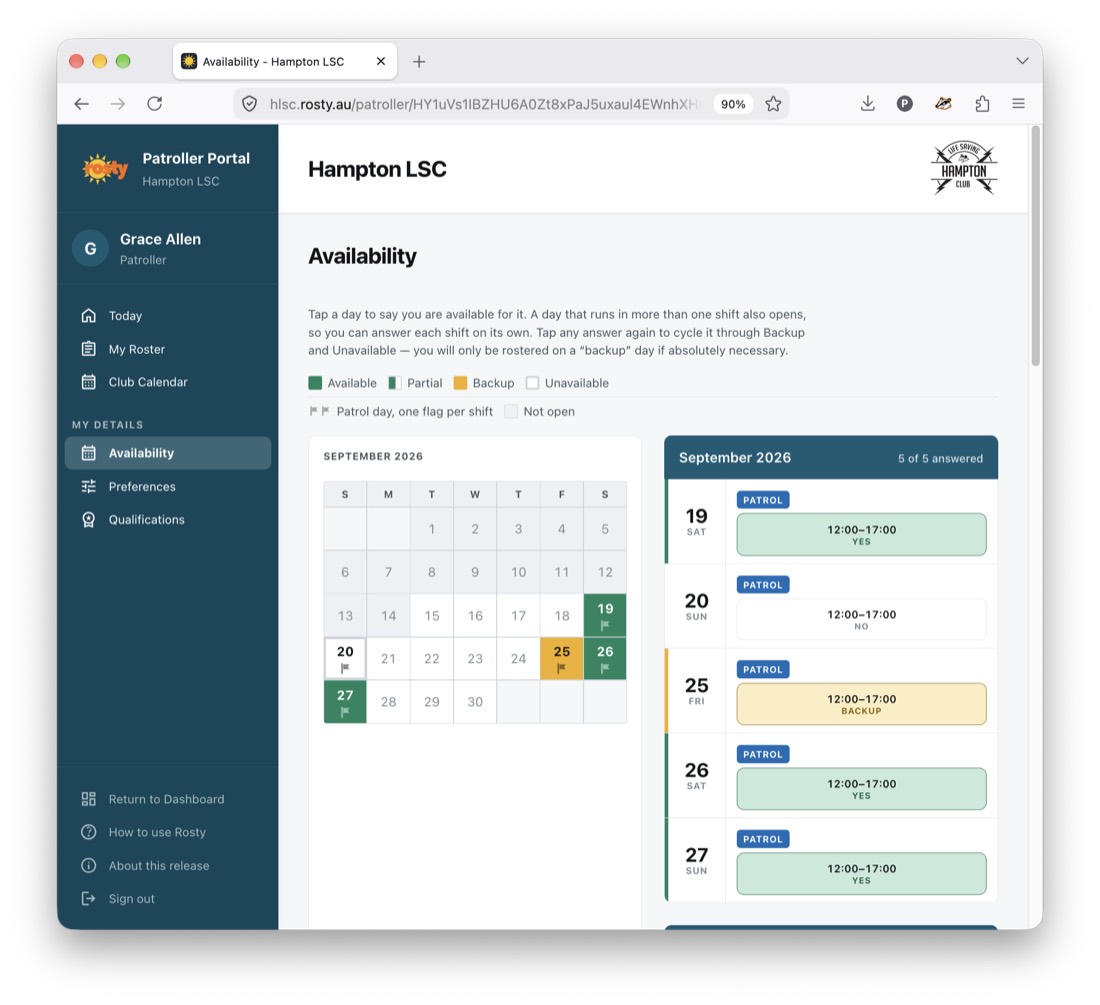
Availability screen: dates cycle through Available, First Half Only, Second Half Only, Backup and Unavailable
Make participation easy Members can select the whole patrol or just part
Club roster card view with split patrols shown with a green swatch
At-a-glance indication The green icon makes staffing clear
How it works

One platform, three happy cohorts

Rosty is built with respect for your club's most valuable resources - its members.

1

Lifesaving Directors

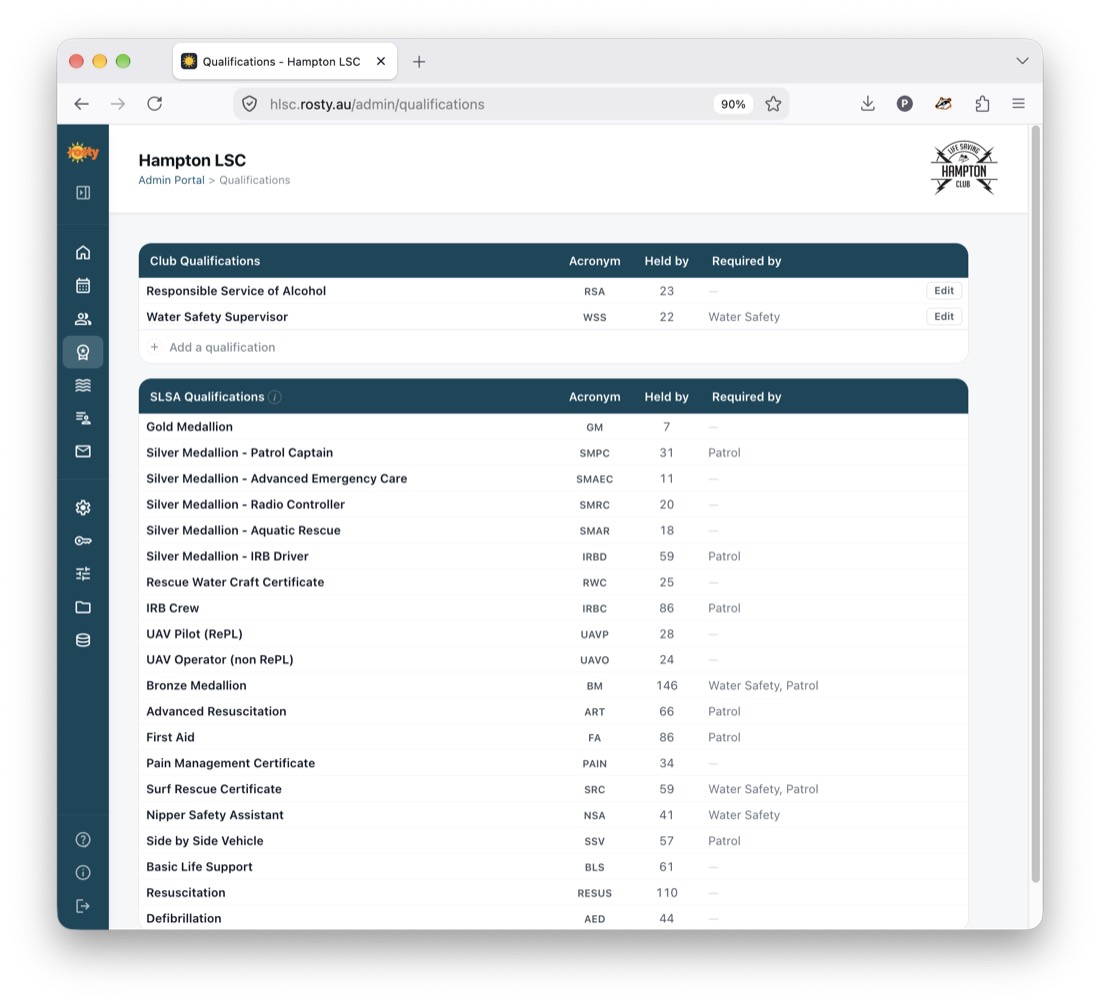
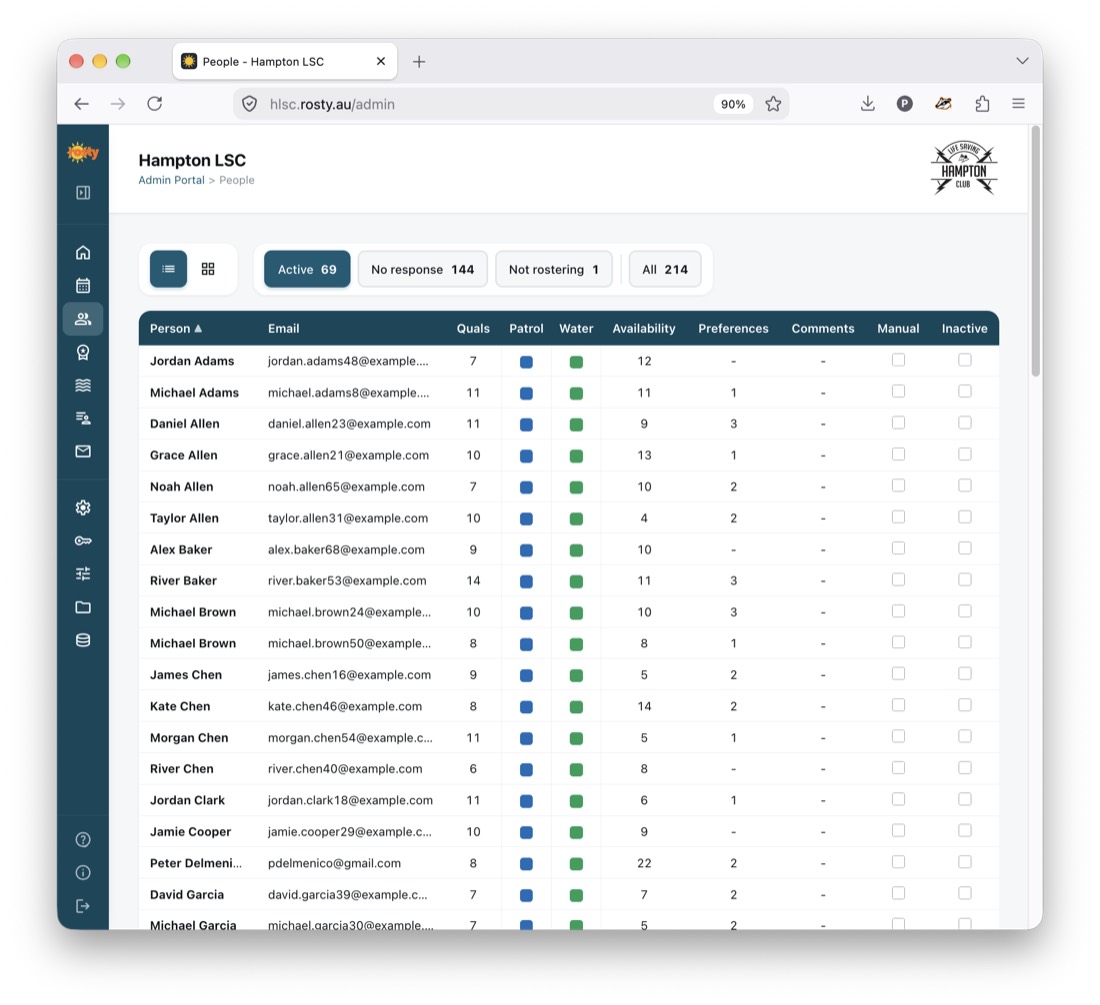
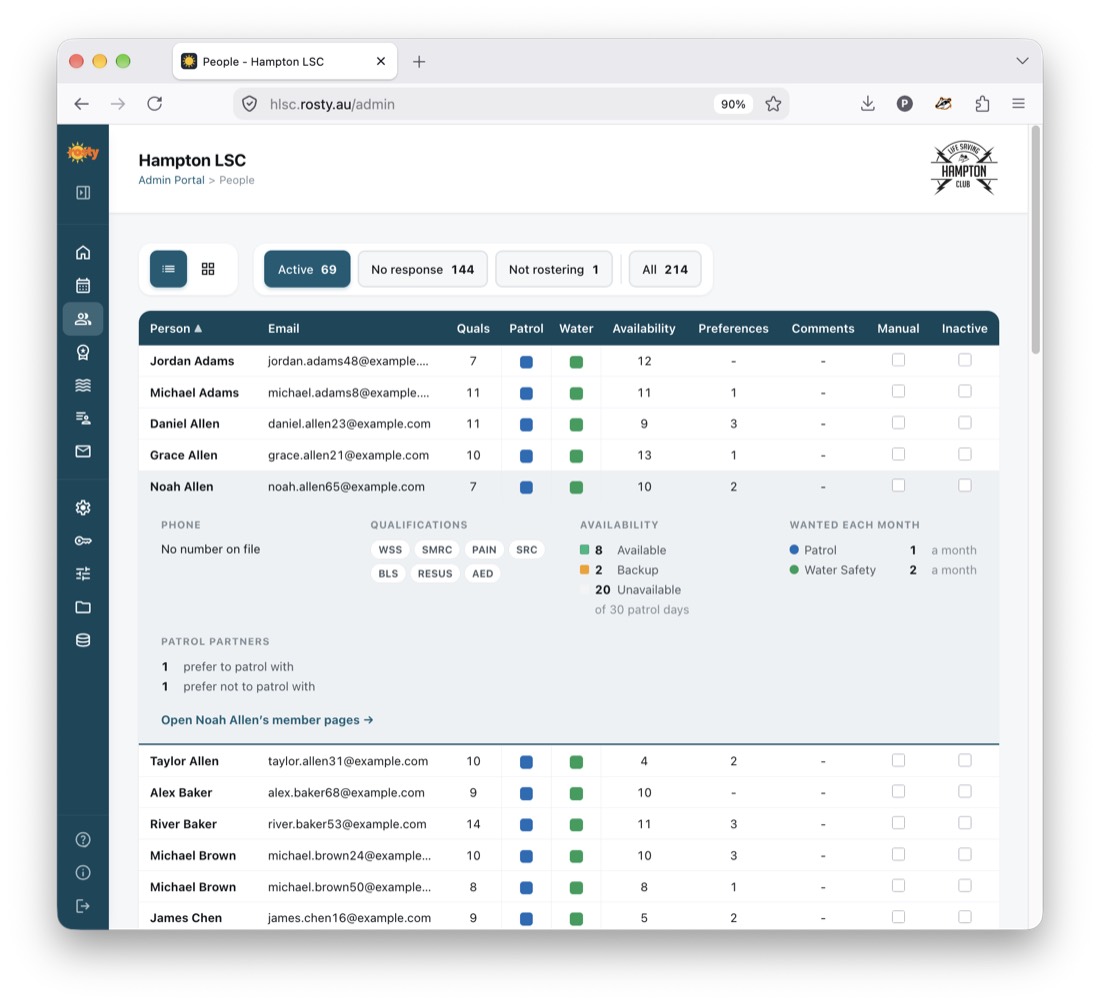
  • Easily import patroller names, member IDs, emails and awards from Surfguard
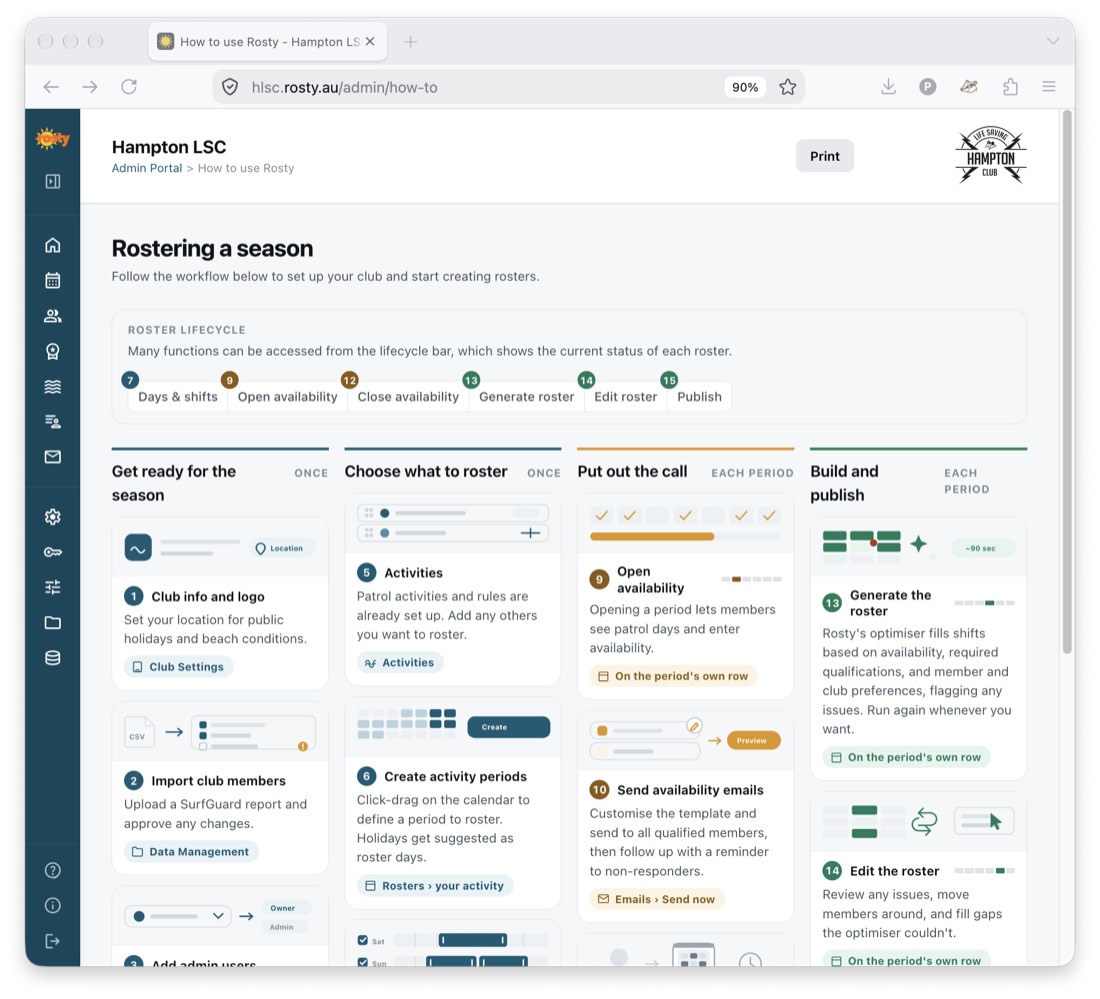
  • Set up patrol dates and times
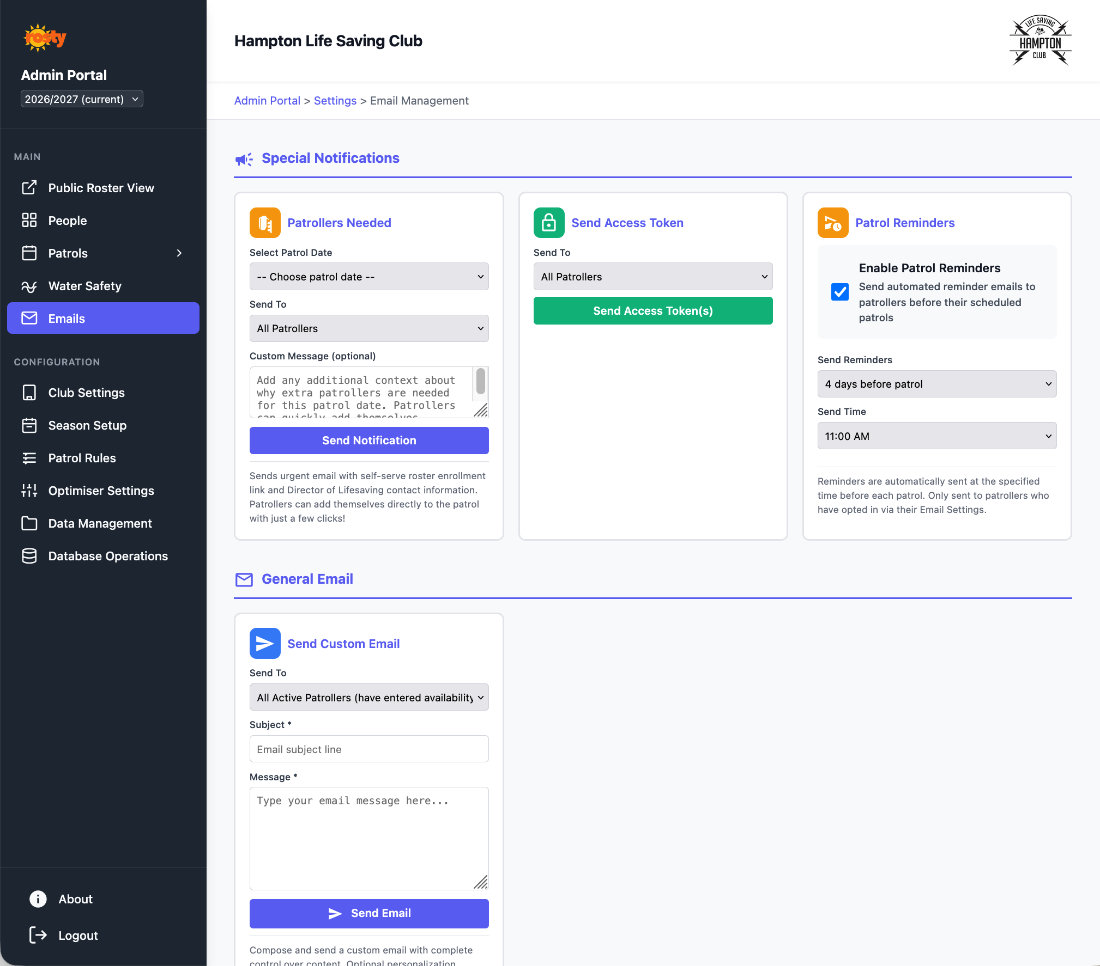
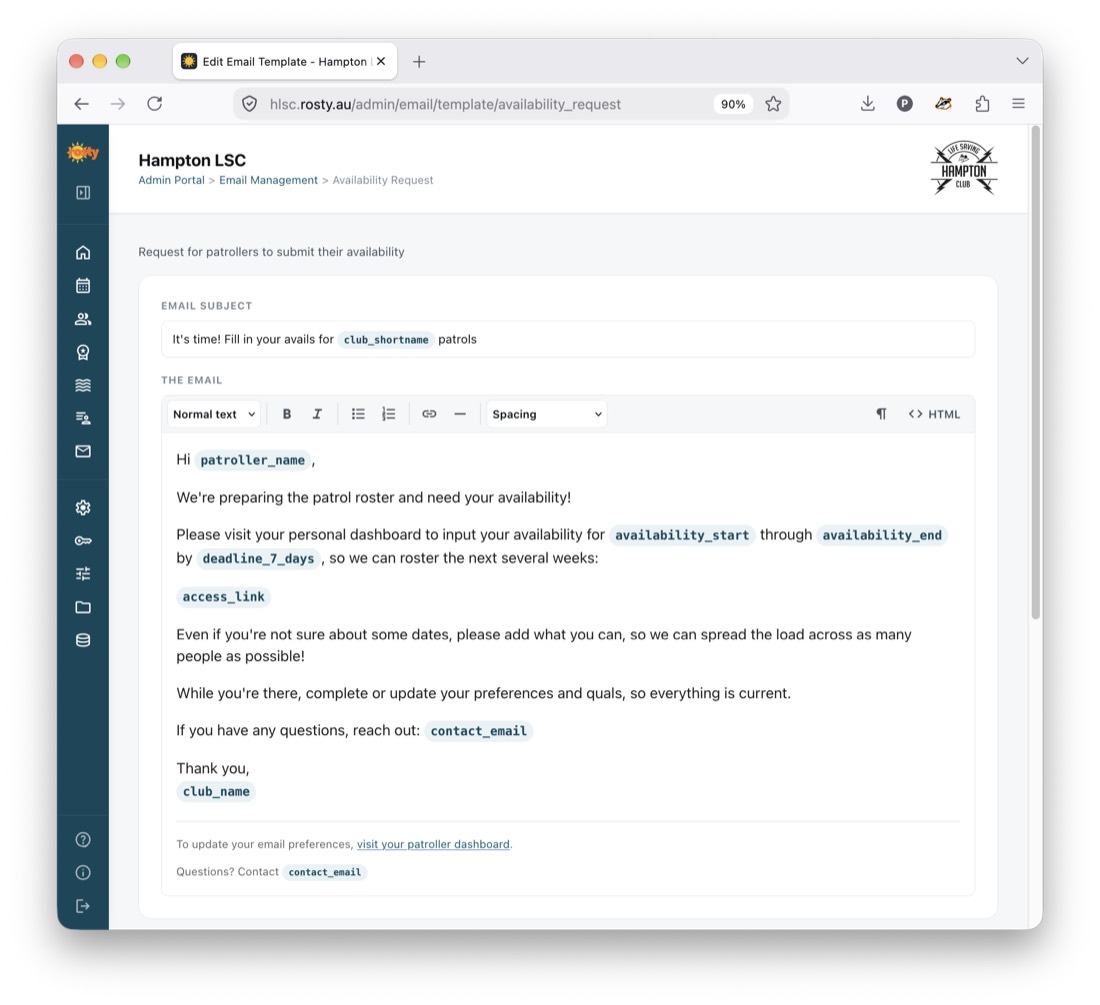
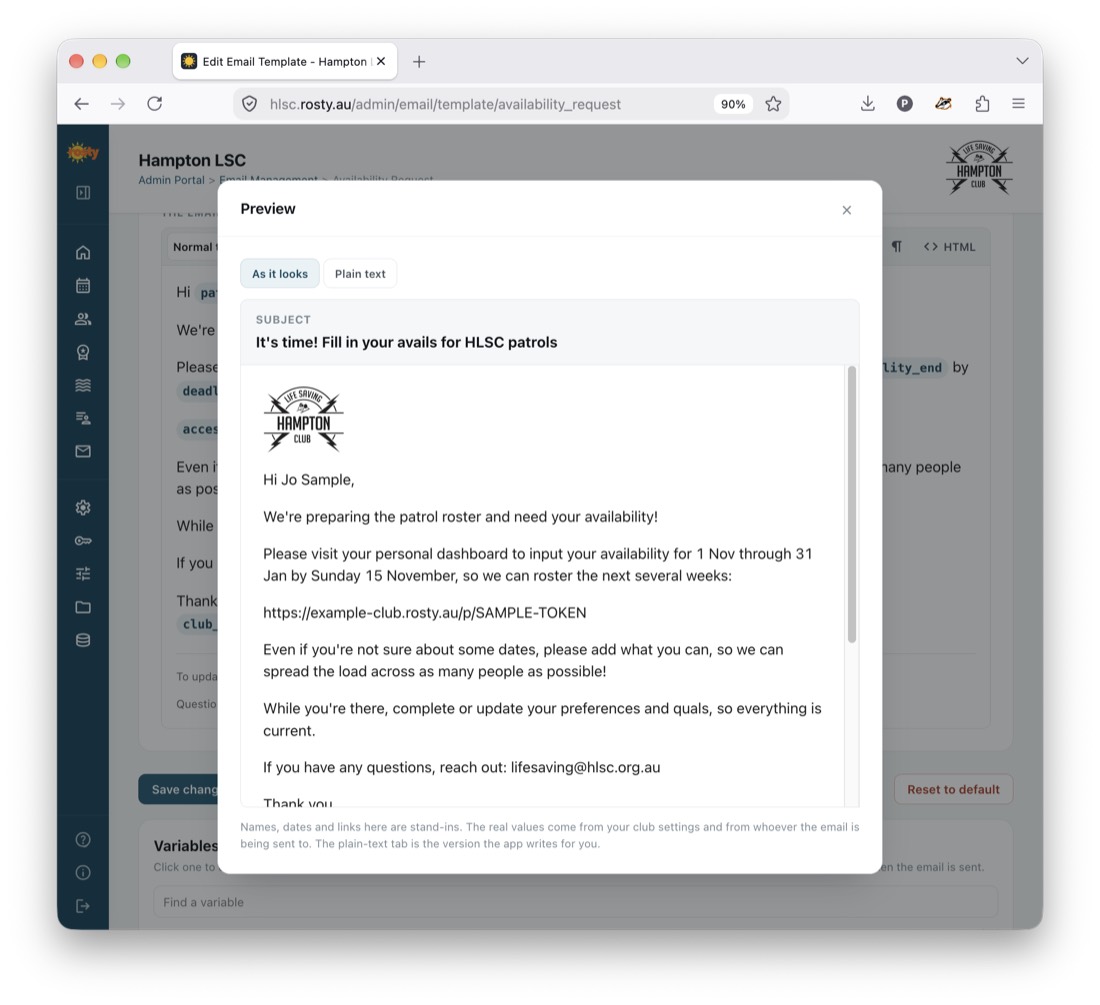
  • Send automated emails and reminders with a unique link to each patroller
  • Adjust optimisation goals to generate a roster satisfying:
    • SLSA and LSV requirements
    • Club-specific goals
    • Patroller preferences and availability
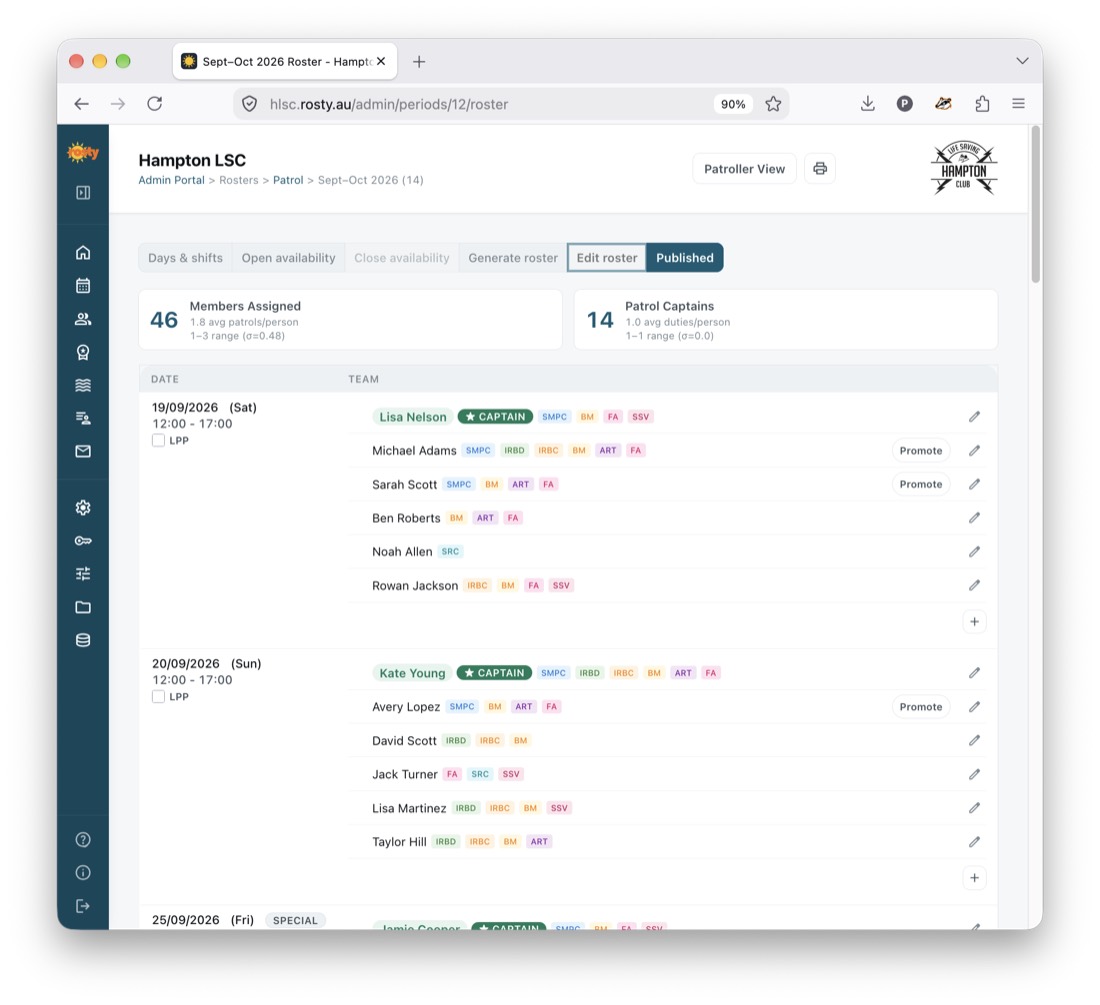
  • Review and adjust the proposed roster
  • Publish rosters to a self-service portal for patrollers
  • Send automatic reminders a few days before each patrol
2

Patrollers

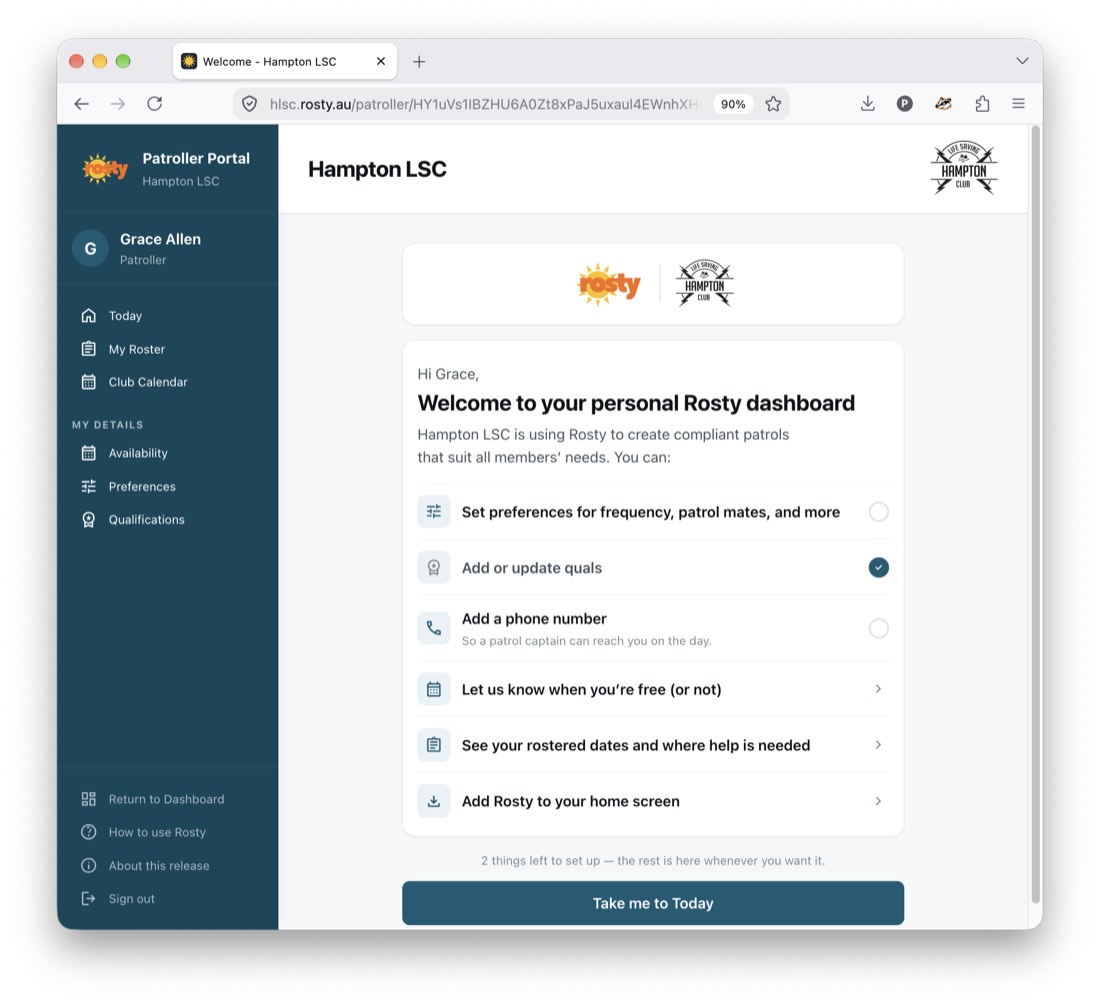
  • Receive an email with a personal link that lasts the whole season
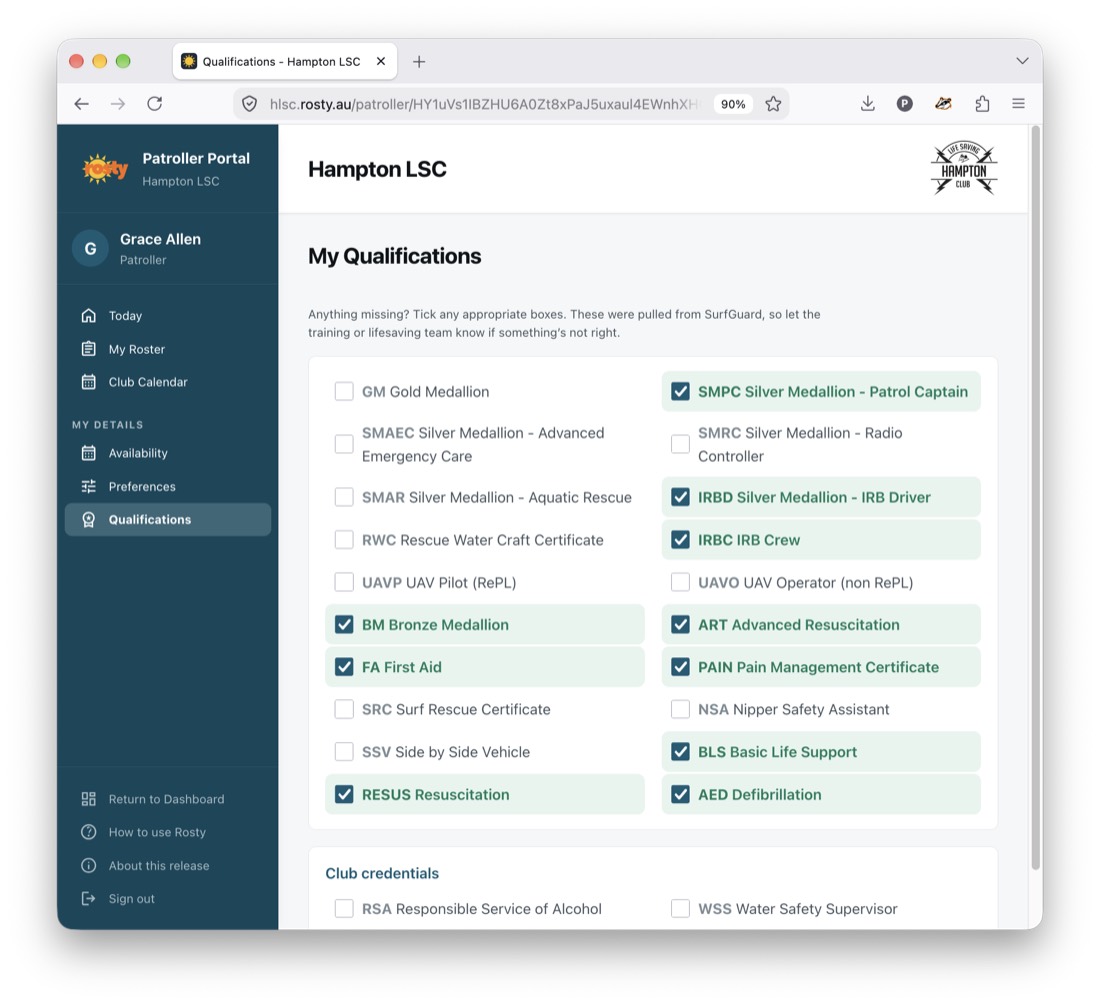
  • Confirm or update qualifications
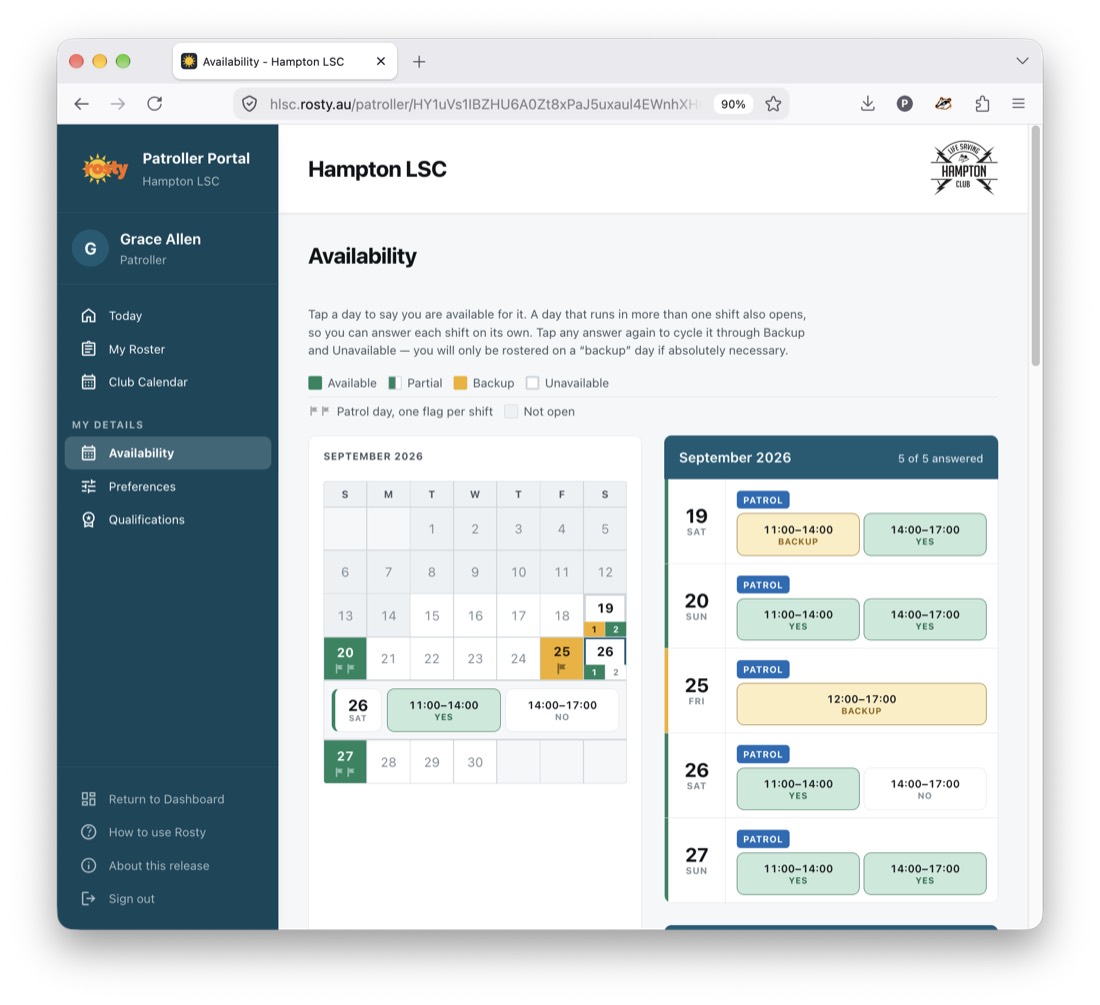
  • Enter availability simply by clicking on patrol dates
  • See their own upcoming patrols and the whole club roster in the same portal
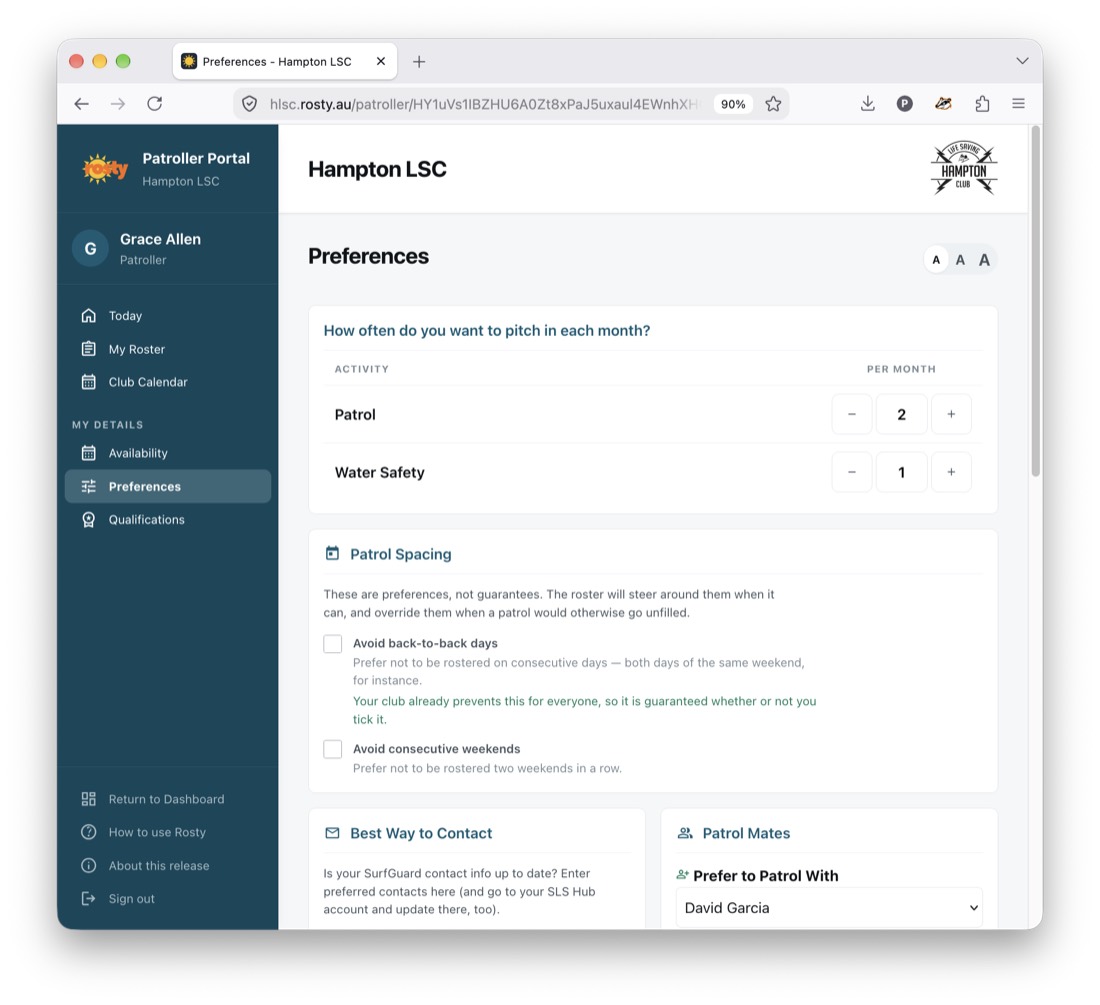
  • Add preferences for:
    • Who they prefer to / not to patrol with
    • Desired number of patrols per month
    • Avoiding back-to-back days or consecutive weekends
    • Notification preferences
  • See the published roster from any mobile device
  • Add or remove themselves from a patrol — the whole day or just the first or second half
3

Patrol Captains

  • Receive an email a few days prior to patrol with a team list containing contact information and awards
  • Choose from multiple views so they can see patrollers and quals
  • See suggested alternate patrollers if last-minute changes are needed
Safeguards

Rosty watches your back

The platform doesn't just build a compliant roster — it helps keep it compliant.

🚩 Automatic flagging

Patrols not meeting club or SLSA rules are flagged automatically in the roster view to draw the attention of members who can help.

🛟 Withdrawal alerts

If a rostered patroller tries to withdraw but doing so would create a noncompliant patrol (e.g. without an IRB driver), an alert asks them to reach out before leaving the patrol. For partial patrols, each half is checked on its own.

📋 Audit trails

Every email sent and every change patrollers make through the self-service portal — availability, preferences, joining or leaving a patrol — is logged with a timestamp, so administrators can always see who changed what, and when.

Product tour

Member and admin views

Screenshots from the Hampton LSC deployment.

Availability calendar in the patroller portal
Availability Click patrol dates to cycle through available, half-day, backup or unavailable
My Patrols screen listing upcoming patrols and team mates
My patrols Your own upcoming patrols, with times, captain and team mates
Preferences screen in the patroller portal
Preferences Patrol frequency, spacing, partners, contact details and notifications
Qualifications screen in the patroller portal
Qualifications Confirm or update current awards in seconds
Club roster calendar view inside the patroller portal
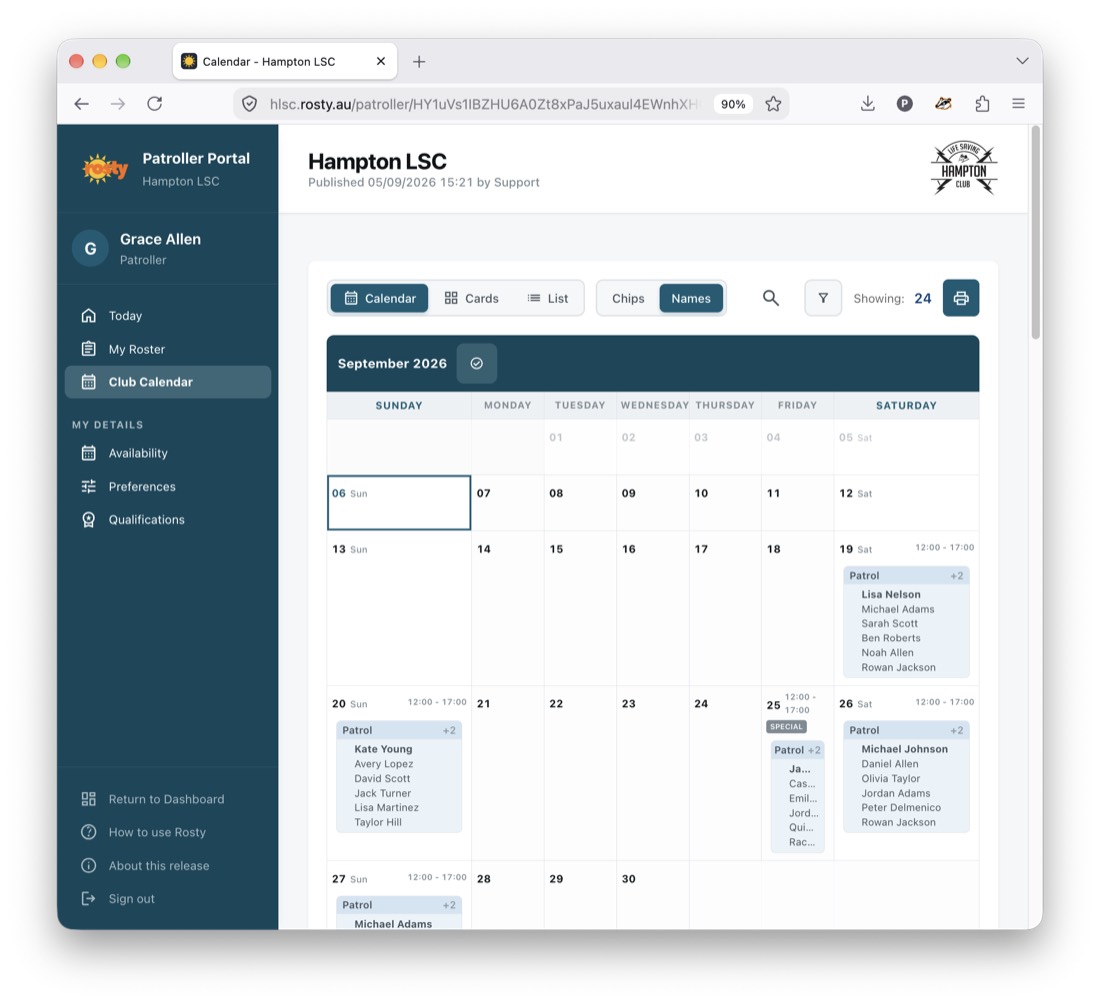
Club roster — calendar Month-at-a-glance patrols, alongside the rest of the portal
Club roster list view inside the patroller portal
Club roster — list Every patrol with its captain, team and qualifications
Club roster card view inside the patroller portal
Club roster — cards Patrol-by-patrol cards, ideal on a phone at the beach
Email with personalised access link
Personalised link Each member gets an email with their own secure link — no passwords, and the roster is never public
Surfguard data import
Surfguard import Drop in names, IDs, emails and awards from Surfguard
Season setup: dates and hours
Season setup Season dates, patrol hours and periods
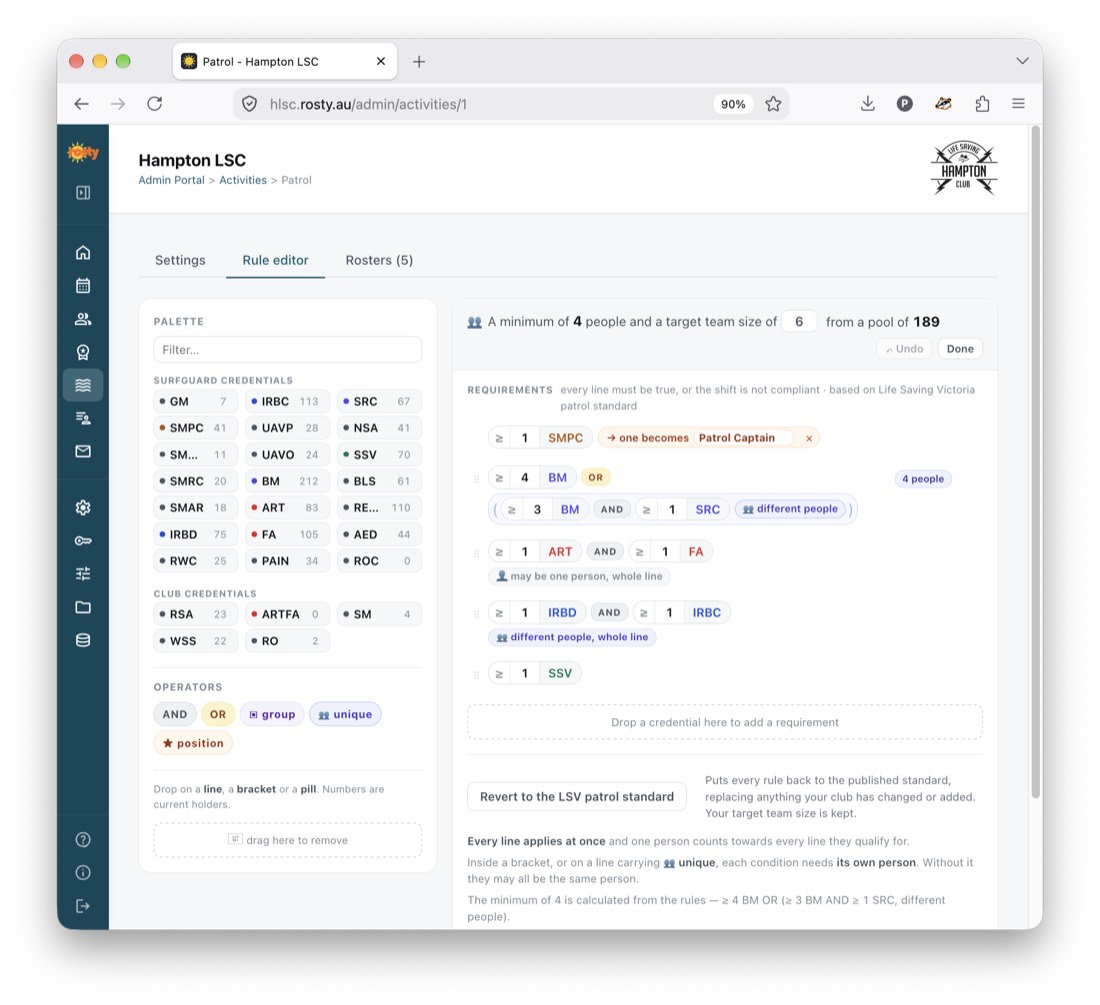
Patrol requirements configuration
Patrol requirements SLSA/LSV standards plus club-specific rules
Optimiser settings
Optimiser settings Choose how preferences are honoured and balanced
Patroller responses heatmap
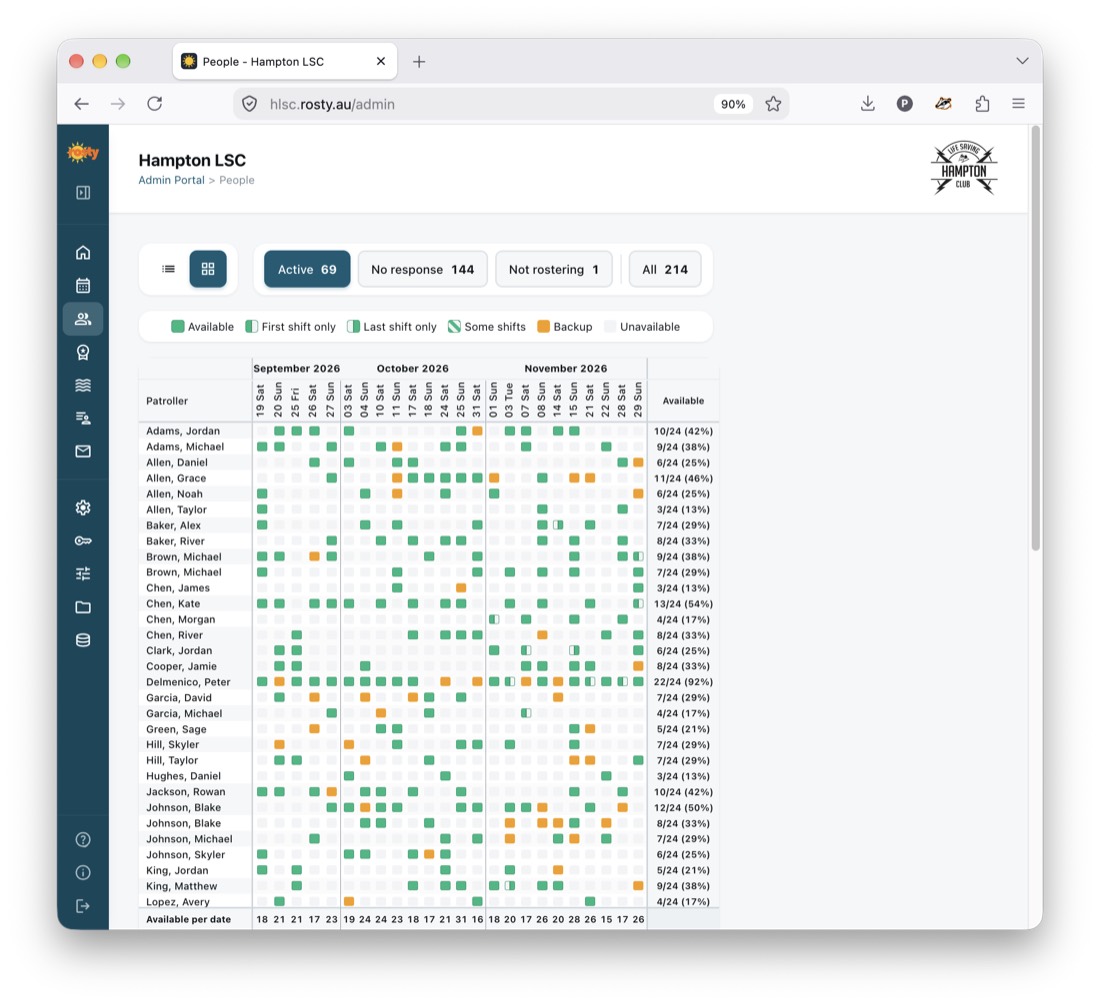
Responses at a glance Availability heatmap across the whole season
Roster generation
Roster generation Build an optimised, compliant roster with one click
Email management
Email management Automated invitations, reminders, added dates, and publication notices
Club customisation
Club customisation Club details, logo, and admin settings
Initial setup

Your club, your rules

During setup, your club can easily customise the way Rosty works.

Requirements

Target patrol numbers

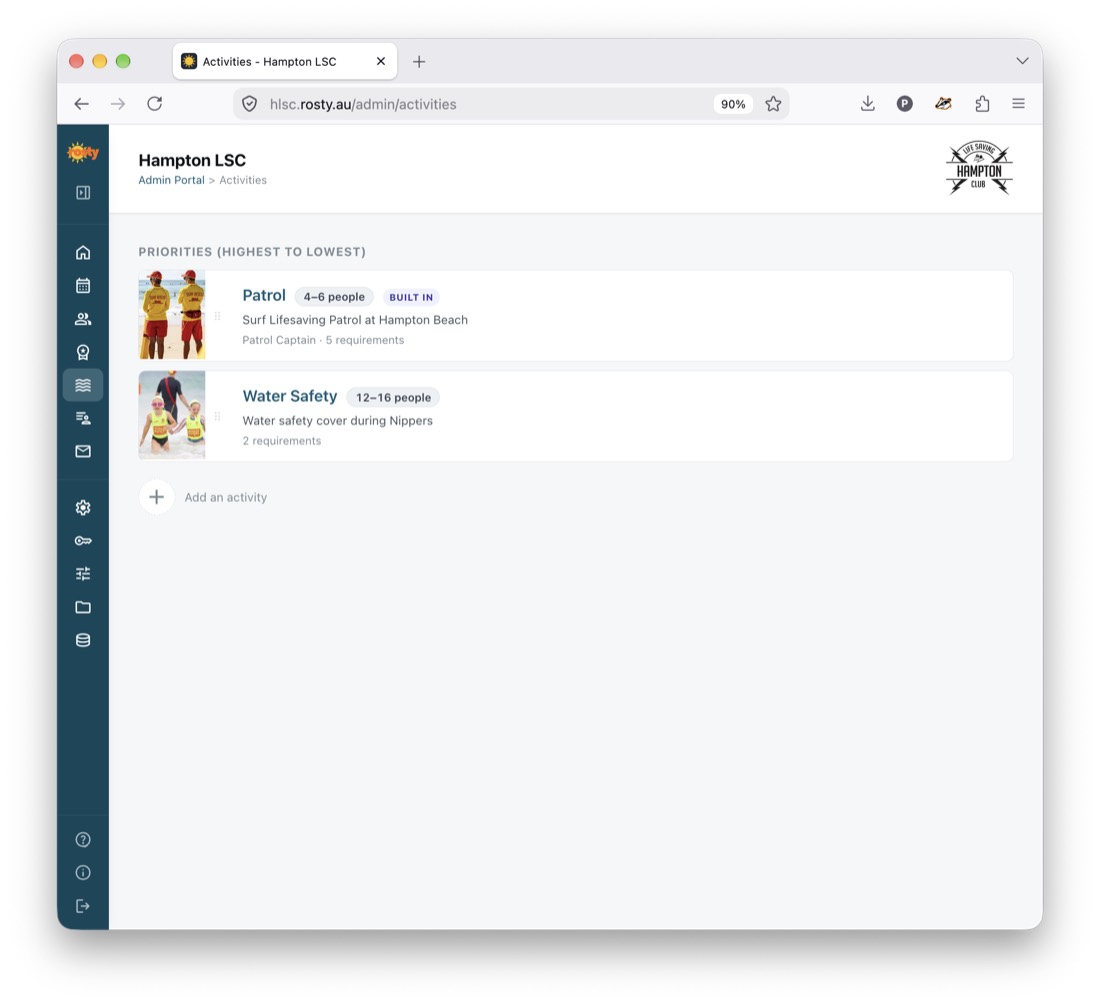
Set target patrol numbers and qualification requirements per patrol.

Nice-to-haves

Club-specific goals

More variety in the assigned patrol captains? Balanced workloads? No consecutive weekends? At least one holiday a season? Layer your own club rules on top of SLSA and LSV requirements — Rosty will figure it out.

Season

Patrol dates & hours

Define patrol dates and hours, and how to segment the season into periods.

Preferences

Optimise for real life

"Prefer to patrol with" names are honoured where possible; "prefer not" names are hard constraints.

Flexibility

Partial patrols

Let members select just the first or second half of a patrol — not only the whole day. Switch the feature on or off to suit your club.

Winner — 2026 Life Saving Victoria Awards of Excellence

Dr. Nigel Taylor OAM ESM Innovative Achievement of the Year. Developed for and in use by Hampton Life Saving Club, Victoria.

Get started

Bring Rosty to your club

Get in touch to simplify your next patrol season with Rosty.